DeepToSeek
Brisk TeachingFreemium
Overview
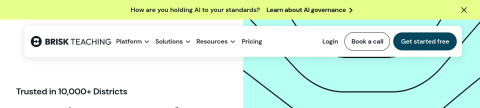
Brisk Teaching is a browser extension for teachers: call it on any web page, Google Doc or YouTube video to rewrite text at a different reading level, generate questions and quizzes, give feedback on student writing, or turn a video into a classroom activity.
The advantage is not interrupting an existing workflow — no copying into another tool. Free usage is solid and school plans add student data protection; feedback is templated, so deep marking stays with the teacher.
What it does
- Rewrite text difficulty and generate questions in the browser
- Automated feedback on student writing
- Convert web pages and videos into activities
- Works with Google Docs and common LMS tools
Best forAdapt one text for different reading levels, Give first-pass feedback on essays, Turn online resources into classroom tasks
FAQ
Does Brisk Teaching have a free plan?
Free tier; paid school plans.
When should I use Brisk Teaching?
Typical uses: Adapt one text for different reading levels; Give first-pass feedback on essays. Key capability: Rewrite text difficulty and generate questions in the browser.
What are the downsides of Brisk Teaching?
Things to watch: Feedback is templated; deep marking still needed; Some features require a school plan.