DeepToSeek

ClipchampFreemium
Overview
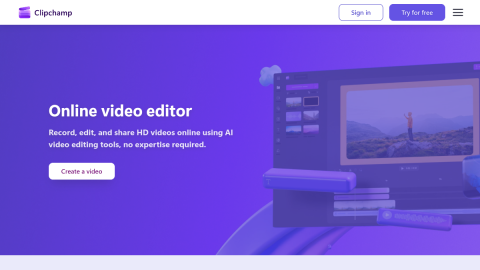
Clipchamp is Microsoft's browser editor, and its AI is aimed at people who do not edit: auto-captions, deleting text from the transcript to cut video, one-click vertical reframing, AI voice-over and noise removal, plus text prompts for backgrounds.
The timeline behaves like a normal editor and 1080p export is free without a watermark, which is unusually generous. Fine colour work, multicam and precise keyframes are out of scope, and the asset library is generic.
What it does
- Auto-captions and transcript-based cutting
- One-click vertical reframing with subject tracking
- AI voice-over and noise removal
- p export, free and watermark-free
Best forSocial shorts and course clips, Meeting recordings with captions, Internal corporate video
FAQ
Does Clipchamp have a free plan?
Free with 1080p export; Microsoft 365 plans add stock assets and higher resolution.
What is Clipchamp used for?
Typical uses: Social shorts and course clips; Meeting recordings with captions. Key capability: Auto-captions and transcript-based cutting.
What are the downsides of Clipchamp?
Things to watch: Weak colour grading and multicam support|Generic template and asset library.