DeepToSeek

GingerFreemium
Overview
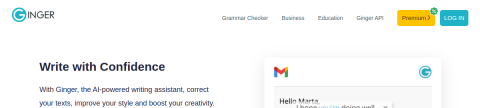
Ginger is a long-standing grammar and spelling checker whose strength is sentence-level rewriting: beyond flagging errors it offers contextual alternatives and tone adjustments, which helps non-native speakers with emails, papers and workplace documents.
It ships as a browser extension, desktop app and Word add-in with a Chinese-friendly interface. Free usage is capped by word count and the full feature set is subscription-based; rewriting suggestions are conservative and long-form logic checks are weaker than Grammarly.
What it does
- Grammar, spelling and punctuation checks
- Sentence rewriting and synonym alternatives
- Tone adjustment for workplace writing
- Browser, Word and desktop integrations
Best forWrite English emails as a non-native speaker, Proofread papers and reports, Polish tone in everyday documents
FAQ
Does Ginger have a free plan?
Free with limits; subscription for full features.
Who is Ginger for?
Typical uses: Write English emails as a non-native speaker; Proofread papers and reports. Key capability: Grammar, spelling and punctuation checks.
What are the downsides of Ginger?
Things to watch: Free tier caps word count; Weak at long-form logic and structure.