DeepToSeek

Microsoft 365 CopilotPaid
Overview
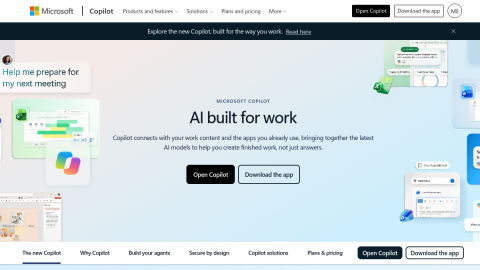
Microsoft 365 Copilot puts a model inside Word, Excel, PowerPoint, Outlook and Teams: draft from an outline in Word, build tables and formulas by description in Excel, turn a document into slides in PowerPoint, summarise mail threads in Outlook and get meeting notes with action items in Teams.
Its advantage is working inside your own data — mail, documents and calendar — rather than a blank chat. It needs a per-seat subscription and clean permissions, or answers turn vague.
What it does
- Drafting and rewriting in Word, tables and formulas in Excel
- Document-to-deck conversion in PowerPoint
- Mail summarisation and reply drafting in Outlook
- Meeting notes and action items in Teams
Best forEveryday documents and weekly reports, Meeting notes and follow-ups, Spreadsheet analysis and presentations
FAQ
Does Microsoft 365 Copilot have a free plan?
Per-seat add-on subscription on top of a Microsoft 365 business plan.
What is Microsoft 365 Copilot used for?
Typical uses: Everyday documents and weekly reports; Meeting notes and follow-ups. Key capability: Drafting and rewriting in Word, tables and formulas in Excel.
What are the downsides of Microsoft 365 Copilot?
Things to watch: Per-seat pricing is steep for small teams|Answer quality depends on data governance and permissions.