DeepToSeek
P
PixlrFreemium
Price Free tier available; paid plans raise limitsVerified 2026-11-12
Overview
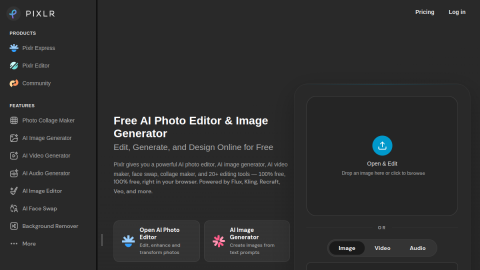
A long-established online editor that has added AI generation, background removal and outpainting, usable straight in the browser for quick edits without installing software.
A typical use is resizing a poster at short notice, or removing unwanted objects from a photo.
What it does
- Layered editing in the browser, close to a light Photoshop
- AI background removal, outpainting and generative fill
- Templates and batch processing
Best forResize a poster for another format, Remove an unwanted object from a photo
FAQ
Is Pixlr free?
Free tier available; paid plans raise limits.
What is Pixlr used for?
Typical uses: Resize a poster for another format; Remove an unwanted object from a photo. Key capability: Layered editing in the browser, close to a light Photoshop.
What are the downsides of Pixlr?
Things to watch: Large files lag, and AI features are charged in credits.
Rate this tool
★★★★★★★★★★ 4.1
Editor rating
Sign in to rate →
Ad