DeepToSeek

Stockimg AIFreemium
Overview
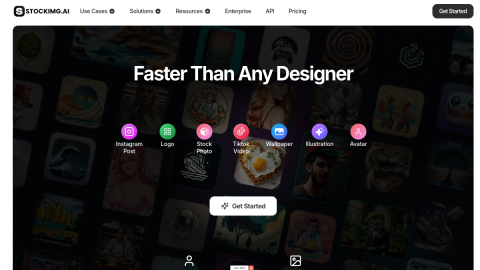
Stockimg AI breaks generation down by deliverable: logos, illustrations, wallpapers, book covers, posters, icons and short-form video each get a button with pre-tuned ratios and styles.
Choosing the output type first means the result already fits its destination instead of needing a crop afterwards, and team plans lock brand colours so batches stay consistent. Free credits are few and watermarked, and logos containing text or strict geometry still need a designer to redraw them.
What it does
- Output-type presets for logos, illustrations, covers, posters and icons
- Brand colour locking for consistent batch output
- Editable templates layered on top of generated results
- Aspect ratios matched to the destination surface
Best forExploring logo directions quickly, Batch social and blog imagery, Book and podcast cover drafts
FAQ
How much does Stockimg AI cost?
Freemium credits; paid plans add HD output, commercial licensing and team seats.
When should I use Stockimg AI?
Typical uses: Exploring logo directions quickly; Batch social and blog imagery. Key capability: Output-type presets for logos, illustrations, covers, posters and icons.
What are the downsides of Stockimg AI?
Things to watch: Small free quota with watermarked exports|Logos with text or exact geometry still need redrawing.