DeepToSeek
UPDFFreemium
Overview
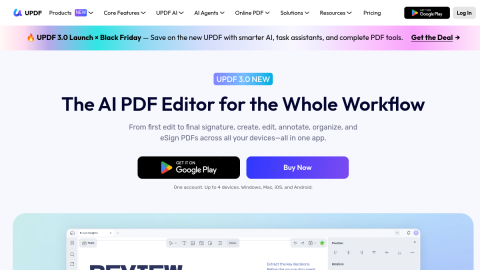
UPDF is the value pick among PDF editors: reading, annotating, editing text and images, conversion, OCR, encryption, compression, plus AI summarisation and translation, on Windows, macOS, iOS and Android.
The AI side summarises long documents, explains terminology and translates whole pages, which covers most office needs at a fraction of Adobe's price. Free usage is limited, deep layout editing is weaker than Acrobat, and summaries stay high level.
What it does
- Read, annotate, and edit text and images in one client
- Format conversion, OCR, compression and encryption
- AI summarisation, term explanation and translation
- Cross-platform with mobile annotation
Best forEveryday PDF editing and conversion, Summarising and translating long documents, Review and annotation workflows
FAQ
Does UPDF have a free plan?
Freemium with limits; subscription for unlimited editing, OCR and AI quota.
What is UPDF used for?
Typical uses: Everyday PDF editing and conversion; Summarising and translating long documents. Key capability: Read, annotate, and edit text and images in one client.
What are the downsides of UPDF?
Things to watch: Free tier limits usage and export|Layout editing trails Acrobat; summaries stay high level.